
Digital Twin vs BIM: A Structured Reference for AEC Project Teams
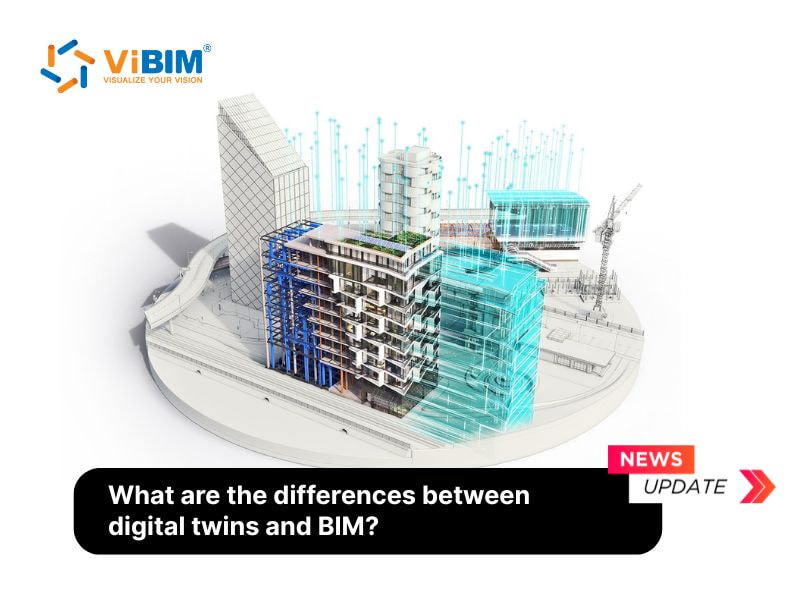
This is a structured comparison of Building Information Modeling and digital twin technology written for AEC professionals who need to scope, specify, or integrate both on real projects. Each section maps the two technologies against a single dimension so the differences and the integration points are clear at a glance.
Quick comparison
| Aspect | BIM | Digital twin |
|---|---|---|
| Core purpose | Design and construction coordination | Operational monitoring and optimization |
| Primary phase | Pre-construction through handover | Post-handover through decommissioning |
| Data character | Static, design-stage | Dynamic, real-time |
| Data sources | Discipline authoring, manual updates | IoT sensors, BMS, operational systems |
| Simulation scope | Clash detection, energy modeling, structural analysis | Predictive analytics, scenario testing, performance simulation |
| Real-time interaction | Snapshot at design milestones | Continuous mirror of operational state |
| Stakeholders | Architects, engineers, contractors | Facility managers, owners, asset managers |
| Scale | Project / building scoped | Asset, campus, district, or city scale |
| Update mechanism | Manual revisions at milestones | Continuous data ingestion |
| Foundational role | Substrate for digital twin | Operational layer built on BIM |
1. Purpose and focus
BIM is purpose-built for collaboration during design and construction. The 3D model functions as a shared workspace where architects, structural engineers, MEP teams, and contractors coordinate around a single source of geometric and informational truth. Drawings, schedules, and specifications all derive from the BIM model, which means changes propagate consistently across disciplines.
Digital twin is purpose-built for the operational phase. Once the asset is built and occupied, the digital twin provides a live model that facility managers use to monitor system performance, track energy efficiency, manage occupant comfort, and drive predictive maintenance decisions. The two technologies are not redundant — they cover sequential phases of the same lifecycle.
2. Data type and dynamics
BIM data is largely static. It captures geometry, materials, system layouts, and parameters as designed, then updates at key milestones — design freeze, construction completion, as-built handover. The model represents how the project was specified and built, not how it is currently behaving.
A digital twin runs on continuous, real-time data. Sensors, IoT devices, and operational platforms feed data into the model on an ongoing basis. Temperature, occupancy, energy consumption, equipment status — all of it updates in the twin as it changes in the physical asset. The model is not a snapshot but a live mirror.
3. Lifecycle coverage
BIM is dominant in design and construction and tends to fade after handover. Unless the facility team actively maintains and updates the model, its accuracy degrades over time. For new construction this is a workflow gap that integration with operational systems can address. For existing buildings, the gap is often bridged with Scan to BIM, which produces a reliable as-built model that the facility management team can use as a starting point.
Digital twins remain active throughout the entire asset lifecycle. They connect design data with operational information and continue to evolve through maintenance cycles, renovations, and decommissioning. The model stays accurate because it is continuously corrected by live data.
4. Simulation and analytics
BIM supports several useful simulation types — structural analysis, lighting studies, clash detection, basic energy modeling. These simulations help reduce design errors before construction, but they are tied to static design assumptions and do not adapt to actual building behavior.
Digital twins extend simulation into predictive and scenario-based analytics. They can simulate how systems respond to weather changes, predict when equipment is likely to need service based on usage and wear data, or test what-if scenarios for energy and occupancy optimization. The simulations are grounded in actual performance, not design intent.
5. Real-time monitoring and interaction
A BIM model is a designed-state reference. It shows components, layouts, and system arrangements but does not track current conditions. The model is queried for design information, not for live status.
A digital twin connects directly to live data streams. Operators can see what the building is doing in real time, drill into specific systems for root-cause analysis, and interact with the model to test responses. The twin enables smarter facility management because the decisions are grounded in current data, not historical assumptions.
6. Scale and scope
BIM is typically project-scoped — one building, one project, one defined deliverable. Federated models across multiple buildings exist for portfolio coordination, but the practical limit of BIM is what a project team can author and maintain.
Digital twins scale much further. A single twin can represent one piece of equipment, one building, an entire campus, an urban district, or even a city. The scope is determined by the data integration layer, not by what a modeler can author by hand. This is what enables city-scale and infrastructure-scale digital twin programs.
How to use BIM and digital twin across the lifecycle
The integration follows a clean progression from design through operations.
Building and designing with BIM - Planning: shared virtual space for concept design, stakeholder alignment, and goal definition - Design: detailed modeling with clash detection, design iteration, and discipline coordination - Execution: on-site construction reference, sequencing support, progress tracking against the planned model
Managing and operating with digital twins - Model: continuous updates from scans and operational data, keeping the asset record accurate - Simulate: photorealistic visualization, occupant flow simulation, scenario testing - Manage: virtual inspections, predictive maintenance, daily facility operations driven by live data
How to integrate BIM with a digital twin: 5 steps
-
Design and construction phase — Author a detailed BIM model in Revit or ArchiCAD with full architectural, structural, and MEP discipline data. Every element carries the metadata that will later anchor sensor mapping.
-
Construction updates and as-built model — As construction progresses, synchronize on-site changes back into the BIM model. The as-built has to reflect what was built, not what was originally specified.
-
Handover to owner — Transfer the as-built BIM enriched with maintenance schedules, warranty information, and equipment data. This is the bridge between construction and operations.
-
Integration with operational systems — Connect the as-built BIM to IoT sensors, Building Management Systems, and other data platforms. BIM contributes the spatial framework; operational systems contribute the live data.
-
Digital twin creation — Combine static BIM, live sensor data, and analytics into a working twin that continuously reflects the building's performance. Facility managers can now simulate, predict, and optimize from a single source.
Benefits of the integration
Real-time performance monitoring and predictive maintenance — Sensor data plus BIM context produces actionable insight into HVAC performance, energy consumption, and equipment health. Predictive maintenance reduces downtime, extends equipment lifespan, and shifts the operational team from reactive to proactive.
Optimized energy use and sustainability — BIM provides the physical context (geometry, thermal properties, insulation). The digital twin provides real-time environmental and usage data. Together they support high-fidelity performance simulations that map directly to LEED certification and corporate sustainability targets.
Enhanced lifecycle management — BIM data often gets siloed at construction handover. A digital twin keeps that data alive through operations, renovation, and decommissioning. Owners retain accurate asset history and site conditions, supporting smarter long-term planning and maximum asset longevity.
The Scan to BIM dependency for existing assets
For existing buildings, the digital twin foundation typically starts with Scan to BIM. A laser scan captures the existing geometry, the point cloud is processed into a Revit model, and that as-built BIM becomes the spatial framework that operational sensors plug into. Without a reliable as-built model, a digital twin for an existing asset lacks the geometric base it needs to be useful. Trying to reverse-engineer one from sensor data alone is significantly harder and more expensive than starting from a clean Scan to BIM deliverable.
The bottom line
BIM and digital twin are not competing technologies. They are sequential phases of the same data continuum. BIM is how the asset is designed and built well. A digital twin is how the asset is operated well. The integration between them is what produces compound value over the lifecycle — and the teams that win at this treat the handover from BIM to digital twin as a deliberate workflow, not a one-time data export.
Reference: https://vibimglobal.com/blog/digital-twin-vs-bim/
See more:
- https://vibim-scan-to-bim.blogspot.com/2026/05/digital-twin-vs-bim.html
- https://vibim.tumblr.com/post/817390584870371328
- https://vibim.wordpress.com/2026/05/23/digital-twin-vs-bim/
- https://vibimscantobim.weebly.com/blog/digital-twin-vs-bim
- https://sites.google.com/vibim.com.vn/vibimglobal/blog/digital-twin-vs-bim